 Wizbert
How it works
Beside your game. On your side.
Where the companion sits next to your game, how a permitted connection feeds it context, and how voice and text commentary come together.
Alongside the games you already play
Your game.
A little company on the side.
Keep playing your own games. Wizbert is an extra app: an old wizard with a voice, a few opinions and optional hints.
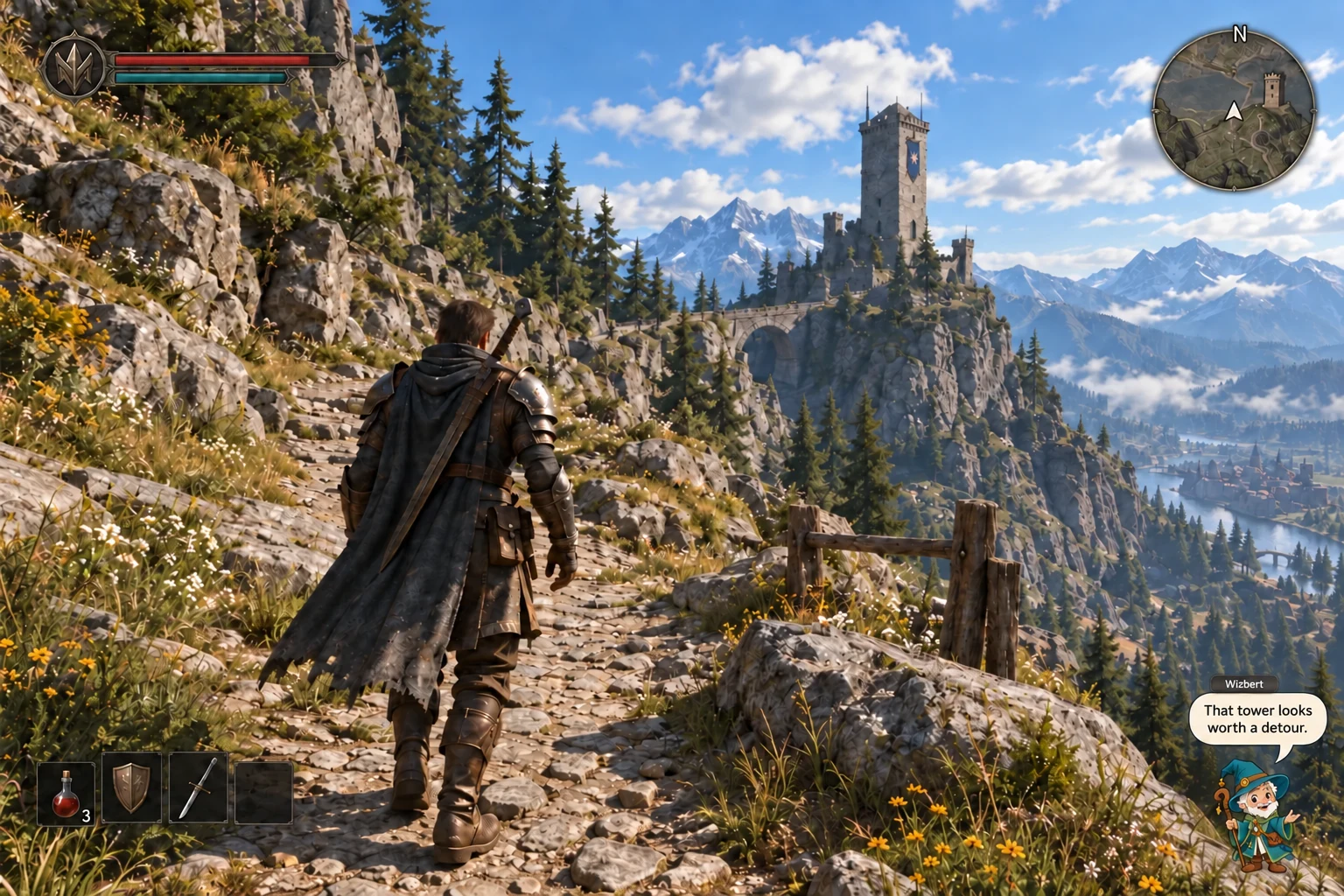
On your Windows PC.
Your game fills the screen. Wizbert sits over it in a separate companion overlay, adding voice and text while you stay in control.
Illustrative mockup, not a software screenshot. Windows is the proposed starting point; compatibility is not yet verified. The game shown is fictional. Select the image to enlarge.
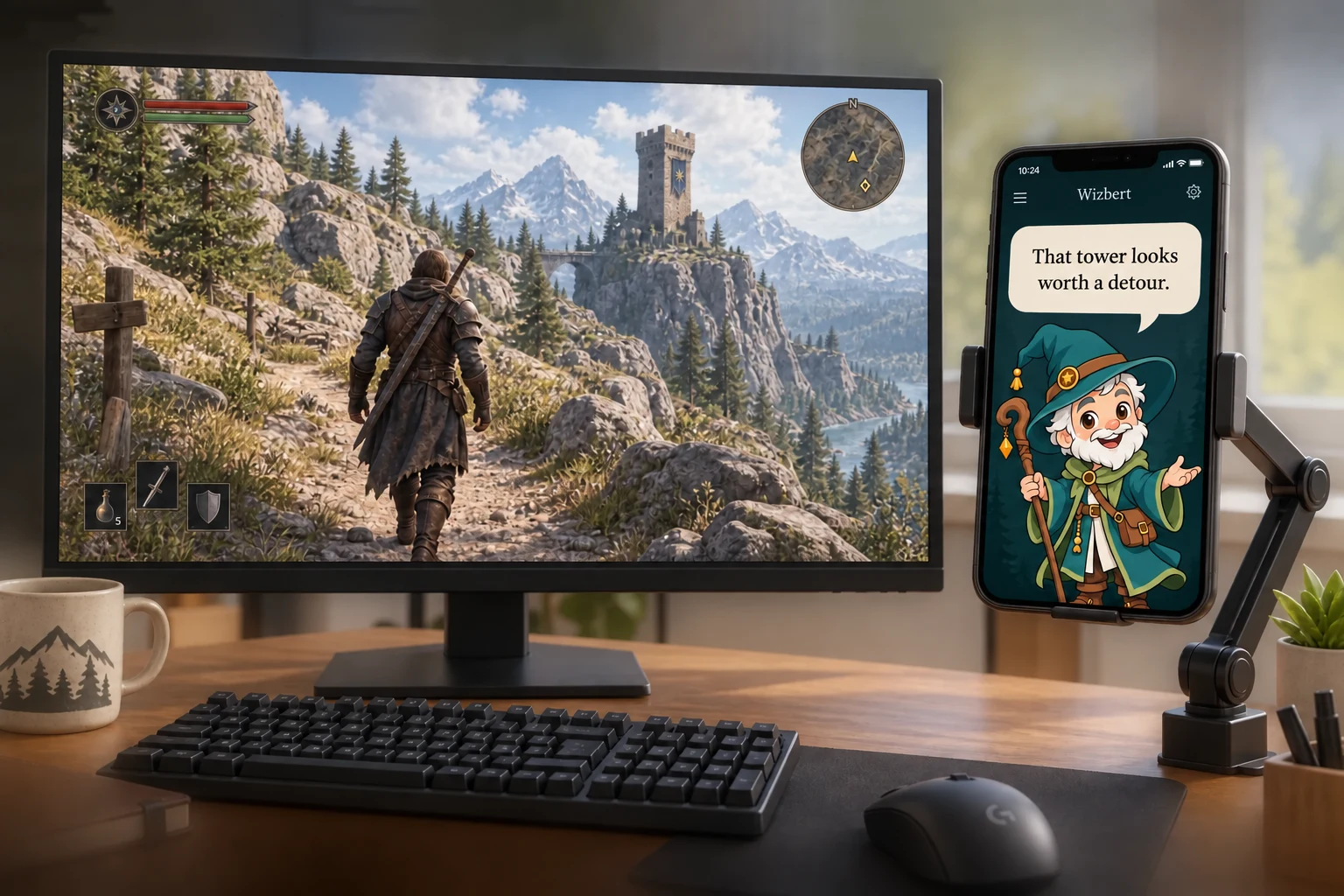
Or give him a seat beside you.
We're also exploring a phone companion display. Put your phone in a mount beside the monitor and keep the wizard and his captions there instead.
The game stays on your PC. Its permitted connection would supply the context; the phone would show the companion's response.
Illustrative mockup. A mobile version, pairing method and iOS/Android support are not confirmed. Caption shown: “That tower looks worth a detour.”
How would he know what's happening?
A connection, not a crystal ball.
- 01 / YOUR GAMEYou play as usual.
A supported game may make some information available, such as a quest name or an event.
- 02 / A PERMITTED CONNECTIONOnly the context allowed.
Depending on the game, that could come through an official API—an interface for other apps—or an allowed plugin/add-on.
- 03 / WIZBERTA reaction, or a little help.
The plan is to turn that context into voice and text, on your desktop or the optional phone display. You make every game input.
We work with what a game allows. Each connection and its intended use must be checked against the game's rules. No bypassing anti-cheat or access restrictions; if we can't establish a permitted connection, we won't offer that integration.
No connection sees everything. If information is missing, Wizbert should ask you or keep its comments general. Before connecting, you should be able to see what it reads and what leaves your device. These are design commitments; no integration is available yet.
Games and connection limitsWizbert is an extra app alongside your existing games. We're building the companion, not the game. The setups below show the experience we're designing; there is no public build yet.
1. Where the wizard sits.
The planned primary setup is a separate overlay on a Windows desktop: your game fills the screen, with a small wizard overlaid in a corner. He adds voice and text while you keep playing. Windows is where we're aiming the concept; compatibility is not verified yet.
2. A second place for your companion.
A planned secondary idea is a phone in a mount next to your gaming PC, showing the wizard and captions of his spoken lines. The phone is an extra display for the PC session — the game still runs on the PC, and the phone doesn't run or control it. Context would still come from the PC game's permitted connection, not from the phone. It's a concept, not a promise of iOS or Android support or of a phone release.
3. Game to commentary, in four steps.
The flow we're designing: game → permitted connection → available context → voice and text commentary.
The plan is to use only information a game allows us to access. Depending on the title, that could be an official API, a permitted plugin or add-on, or details you choose to share. Good context can be simple — a quest name, a location, an event — but only when the permitted source actually exposes it. We're not planning universal screen reading or any hidden access.
When a connection doesn't provide enough context, Wizbert should ask what you're up to or keep his comments general. If we can't establish a permitted connection at all, we won't offer an integration for that game. Before you enable a connection, we plan to show exactly what it can read and what leaves your device.
4. Settle in, then play.
The intended setup is to install the companion and sign in to the companion service, then adjust how Wizbert sounds, his tone, and how much guidance he gives. No installer or account service is available yet; we aim to avoid requiring your own AI API key. Wizbert is one character — the knobs are for his voice and manner, not for swapping in someone else.
The planned controls have different jobs: mute would silence speech, pause observation would stop new game context, and disconnect would end the game connection. Turning down speech alone doesn't mean observation has stopped. The companion doesn't press keys for you and never logs into your game account. Voice input, providers, persistent memory, offline use and internet requirements are not confirmed yet.